

Replit and Sheet Ninja
Replit is brilliant for spinning up an app fast. You open a project, describe what you want to the AI, and something functional appears almost immediately. It's one of the best tools out there for going from zero to working prototype.
The frustrating part comes when you need to store data. Replit's built-in database is fiddly to set up, hard to inspect, and not exactly something you'd hand to a non-technical teammate to manage.
Sheet Ninja gives you the best of both worlds - the speed and simplicity of building in Replit, with Google Sheets as your data layer. Your data lives somewhere readable, editable, and shareable from day one.
The use case
You want visitors to leave messages on your site, but you want to approve them before anyone else sees them. Think guestbook, feedback wall, or community shoutouts. Same pattern every time: someone submits, you approve, the world sees.
Sheet Ninja allows you to do this in Replit very easily.
Here’s how:
1. Set up your Google Sheets
Create a new Google Sheet and add these column headers in Row 1:
| name | created_at |
|---|
2. Create your Sheet Ninja API
Then go to sheetninja.io, connect your Sheet, and copy your API endpoint URL. Here’s the Quickstart guide if you need a reminder.
Done - that's your entire backend.
3. Build it in Replit
Open a new Replit project and paste this prompt into the AI (add your API where it says <<INSERT>>).
1Build a guestbook web app.
2
3Here's everything you need:
4--- DOCS ---
5API reference: https://docs.sheetninja.io
6
7--- DATA --- The data lives in a Google Sheet connected via Sheet Ninja. My Sheet Ninja base URL is: <<INSERT>>
8
9The sheet has these columns: name, message, created_at, status
10
11--- HOW IT WORKS ---
12- When someone submits a message, save it with status set to "pending"
13- Also save their name and the current date/time automatically
14- The public guestbook only shows messages where status is "approved"
15- Show approved messages newest first
16
17
18--- KEEP IT SIMPLE ---
19- No login system needed - Show a loading state while fetching
20- Show a friendly error message if something goes wrong
21- Clean, minimal design
What you get
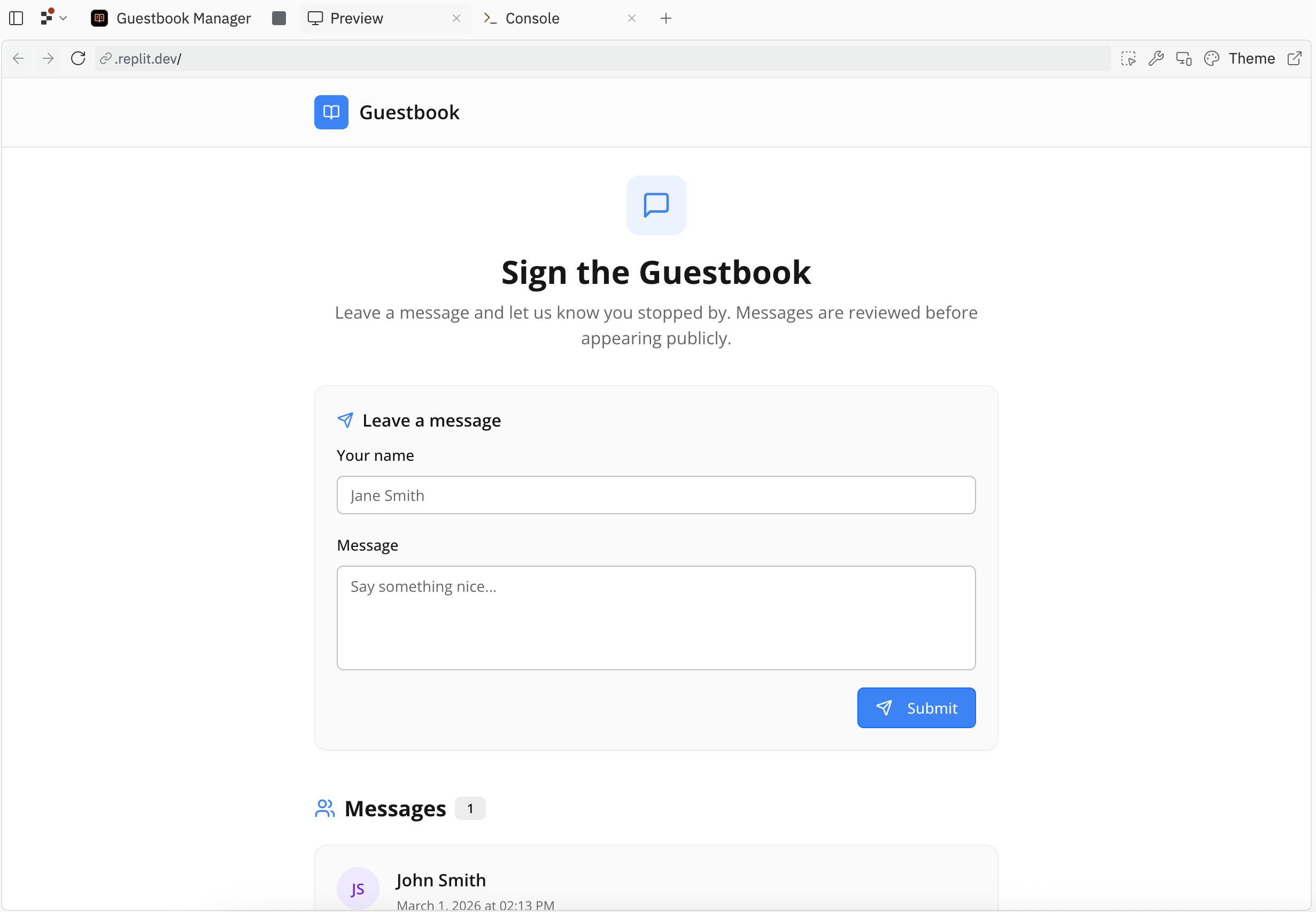
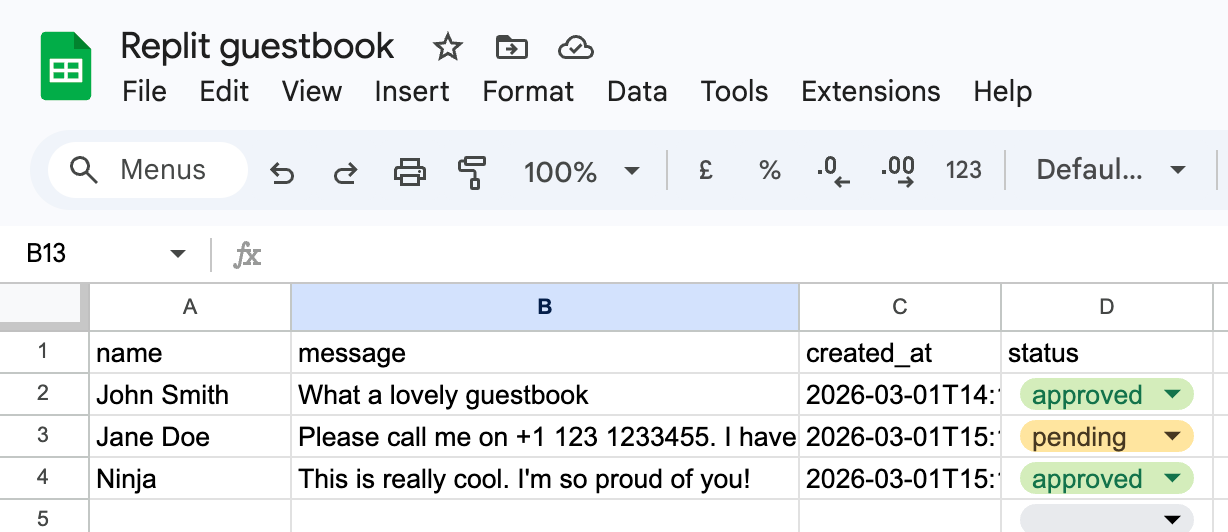
And whenever you need to approve a message, just go to your Google Sheet and update column D. It’s automatically reflected on your guestbook.
Why Google Sheets?
A real database would take hours to set up. Google Sheets takes two minutes - and it comes with something no database gives you out of the box: a moderation interface you already know how to use.
Every submission lands as a row. You approve it by changing one cell. You delete it by right-clicking. No admin panel to build, no SQL to write.
Ship tonight. Scale later.